1. Accessing the System
Open SRGS using your preferred device, visit srgsplatform.com, and log in with your assigned account credentials.
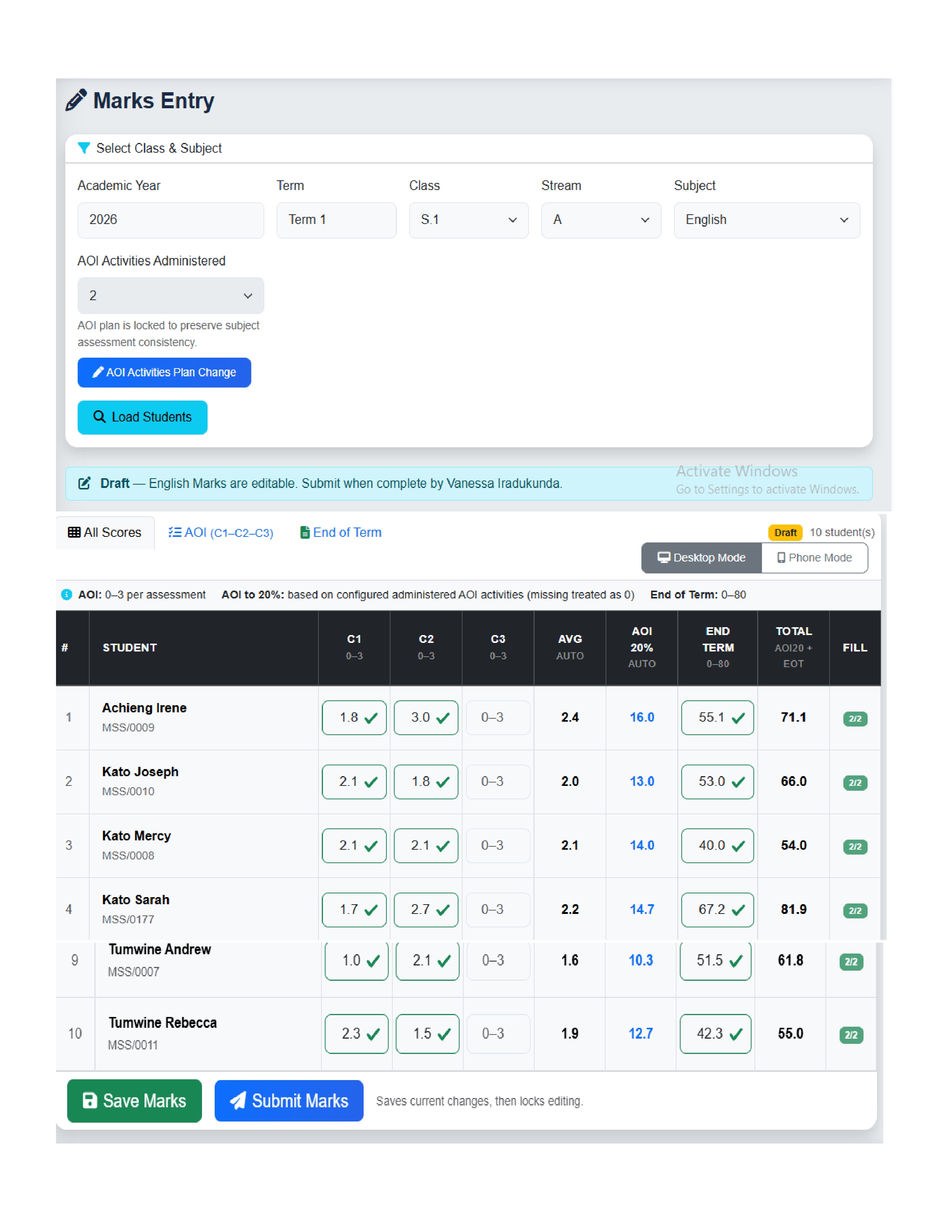
The SRGS Marks Entry Page enables teachers to quickly, accurately, and securely record, save, and submit student marks using smartphones, tablets, laptops, and desktop computers.
Open SRGS using your preferred device, visit srgsplatform.com, and log in with your assigned account credentials.
Note: Academic Year and Term are selected automatically from active school configuration.
| Assessment Type | Score Range |
|---|---|
| AOI (per activity) | 0 – 3 |
| End-Term Examination | 0 – 80 |
| Project Work (if applicable) | 0 – 10 |
Automatic Score Processing: AOI scores are auto-calculated and converted into the required 20% contribution based on activities administered, with instant system computation.
Click Save Marks to store entries as drafts. Draft records support continuous work, review, and edits before final submission.
After verification, click Submit Marks to save final marks, set status to Submitted, and lock further editing unless reopened by authorized admin.